


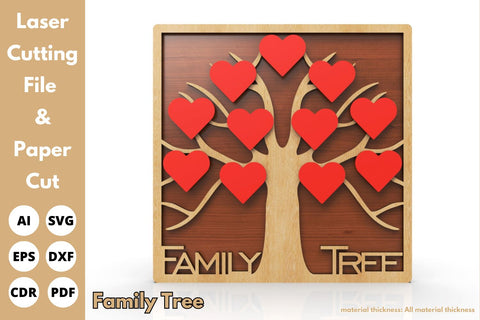
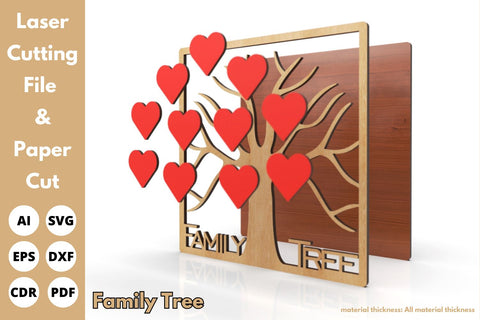
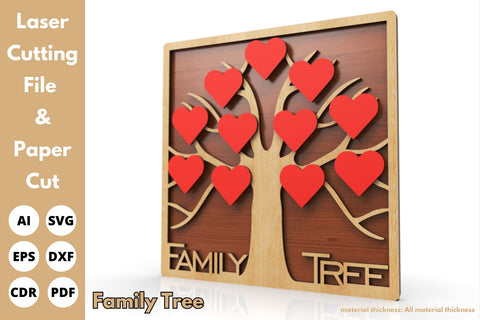
Family Tree with Heart | laser cut file | svg paper cut | cricut | glowforge file
" Family Tree with Heart is used for Paper Cut & laser cutting machines"
🌳 Introducing Our Digital Laser-Cut Family Tree! 🎨
Celebrate your family's legacy with our customizable tree, perfect for laser cutting from wood or acrylic, in any thickness. Personalize it with your family's names and dates. Order now and adorn your home with love! 👨👩👧👦🌟
7 formats are included
SVG
DXF
EPS
CDR
JPG
AI
Product Description
" Family Tree with Heart is used for Paper Cut & laser cutting machines"
🌳 Introducing Our Digital Laser-Cut Family Tree! 🎨
Celebrate your family's legacy with our customizable tree, perfect for laser cutting from wood or acrylic, in any thickness. Personalize it with your family's names and dates. Order now and adorn your home with love! 👨👩👧👦🌟
it is available for all material thicknesses.
7 formats are included
SVG
DXF
EPS
CDR
JPG
AI
- All Digital Product SKUs (w/o Bundles, GC, Software, Transfers) ,
- All SKUs ,
- All SKUS without Software, Physical & Gift Cards ,
- All SVG Collection ,
- Cricut Cutting and Print Then Cut Files ,
- Cricut SVG Files ,
- Currently on GMC - Tagged ,
- Heart SVG Designs ,
- Metafield Flow Completed ,
- Paper Die Cuts ,
- SVG Cutting Files ,
- SVG Files ,
- Tagged with Metafield Flow ,
- tofigh4lang

Commercial Use

Cut-Friendly

Lifetime Download
- All Digital Product SKUs (w/o Bundles, GC, Software, Transfers),
- All SKUs,
- All SKUS without Software, Physical & Gift Cards,
- All SVG Collection,
- Cricut Cutting and Print Then Cut Files,
- Cricut SVG Files,
- Currently on GMC - Tagged,
- Heart SVG Designs,
- Metafield Flow Completed,
- Paper Die Cuts,
- SVG Cutting Files,
- SVG Files,
- Tagged with Metafield Flow,
- tofigh4lang


